 Wingware
Wing Pro Reference Manual
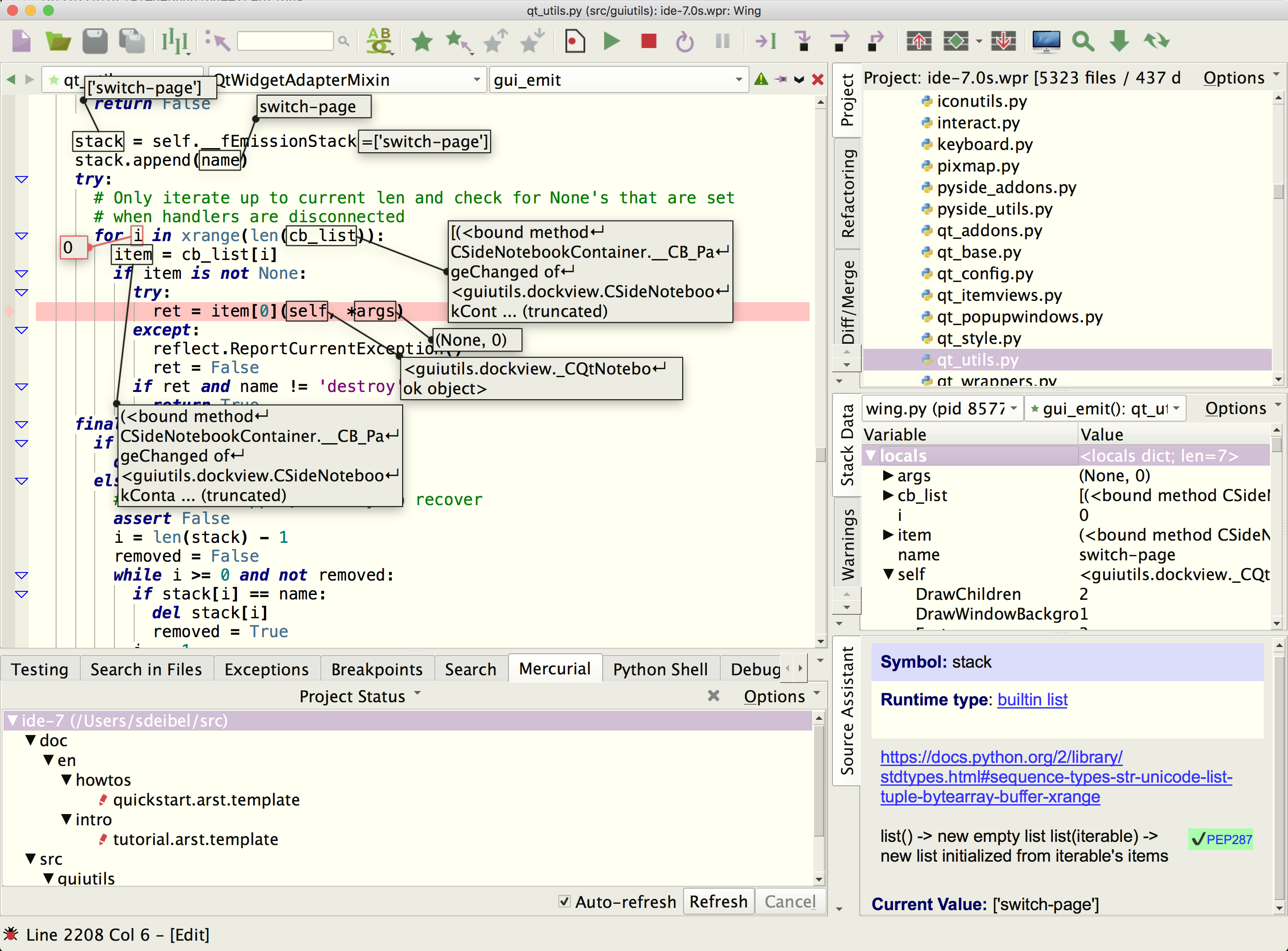
This manual documents the entire feature set of Wing, which is a Python IDE designed for professional developers.
It covers installation, customization, setting up a project, package management, editing, code warnings, refactoring, comparing files and directories, navigating source code, using the integrated Python shell, executing operating system commands, unit testing, debugging, AI agent-assisted development, version control, source code analysis, remote development, and extending the IDE with user-defined scripts and plugins.
Trouble-shooting information is also included, for installation and usage problems, as well as a complete reference for Wing's preferences, command set, and available key bindings.
If you are looking for a gentler introduction to Wing's feature set, try the Tutorial in Wing's Help menu. A more concise overview of Wing's features is also available in the Quick Start Guide.
Our How-Tos explain how to use Wing with specific Python frameworks for web and GUI development, 2D and 3D modeling, rendering, and compositing applications, matplotlib, Raspberry Pi, and other Python-based libraries and tools.
A collection of Wing Tips, available on our website and by email subscription, provides additional tips and tricks for using Wing productively.
Wingware, the feather logo, Wing Python IDE, Wing, Wing Classic, Wing Personal, Wing 101, Wing IDE, Wing IDE 101, Wing IDE Personal, Wing IDE Professional, Wing IDE Pro, Wing Debugger, and "The Intelligent Development Environment for Python" are trademarks or registered trademarks of Wingware in the United States and other countries.
Disclaimers: The information contained in this document is subject to change without notice. Wingware shall not be liable for technical or editorial errors or omissions contained in this document; nor for incidental or consequential damages resulting from furnishing, performance, or use of this material.
Hardware and software products mentioned herein are named for identification purposes only and may be trademarks of their respective owners.
Copyright (c) 1999-2026 by Wingware. All rights reserved.
Wingware
P.O. Box 400527
Cambridge, MA  02140-0006
United States of America
Section Contents
1.0. Product Levels
1.1. Licenses
1.2. Supported Platforms
1.3. Supported Python versions
1.4. Technical Support
1.5. Prerequisites for Installation
1.6. Installing Wing
1.7. Running Wing
1.8. Installing Your License
1.9. Settings Directory
1.10. Upgrading
1.10.0. Migrating From Older Versions
1.10.1. Fixing a Failed Upgrade
1.11. Installation Details and Options
1.11.0. Linux Installation Notes
1.11.1. Remote Display on Linux
1.11.2. Source Code Installation
1.12. Backing Up and Sharing Settings
1.13. Removing Wing
1.14. Command Line Usage
Customization
2.0. High Level Configuration Options
2.1. User Interface Options
2.1.0. Display Style and Colors
2.1.1. Windowing Policies
2.1.2. User Interface Layout
2.1.3. Text Font and Size
2.2. Keyboard Personalities
2.2.0. Key Bindings
2.2.1. Key Maps
2.2.2. Key Names
2.3. Preferences
2.3.0. Preferences File Layers
2.3.1. Preferences File Format
2.4. Custom Syntax Coloring
2.5. Perspectives
2.6. File Filters
Project Manager
3.0. Creating a Project
3.0.0. Creating Python Environments
3.0.1. About Project Configuration
3.1. Moving Projects
3.2. Display Options
3.3. Opening Files
3.4. File Operations
3.5. Creating, Renaming, and Deleting Files
3.6. Project Properties
3.6.0. Environment Variable Expansion
3.7. File Properties
3.8. Sharing Projects
3.9. Launch Configurations
AI Agent-Assisted Development
4.0. Setting Up Claude Code
4.1. The Claude Code Tool
4.2. AI Actions
4.3. The Tasks Tool
4.4. Configuration
4.5. Using AI Agents Effectively
4.6. AI Agent Safety
Package Manager
5.0. Package Management Operations
5.1. Package Manager Options
5.2. Package Management with conda
5.3. Package Management with pipenv
5.4. Package Management with Poetry
5.5. Package Management with uv
5.6. Package Management Security
Source Code Editor
6.0. Opening, Creating, and Closing Files
6.1. File Status and Read-Only Files
6.2. Transient, Sticky, and Locked Editors
6.3. Editor Context Menu
6.4. Navigating Source
6.5. Source Assistant
6.6. Folding
6.7. Bookmarks
6.8. Syntax Coloring
6.9. Selecting Text
6.9.0. Multiple Selections
6.10. Copy/Paste
6.11. Auto-completion
6.11.0. Turbo Completion Mode for Python
6.11.1. Auto-completion Icons
6.11.2. How Auto-completion Works
6.12. Auto-Editing
6.13. Auto-Reformatting
6.13.0. PEP 8 Reformatting Options
6.13.1. Black Formatting Options
6.13.2. Ruff Formatting Options
6.13.3. YAPF Formatting Options
6.13.4. Other Reformatters
6.14. Code Snippets
6.14.0. Snippet Syntax
6.14.1. Snippets Directory Layout
6.15. Indentation
6.15.0. How Indent Style is Determined
6.15.1. Indent Guides, Policies, and Warnings
6.15.2. Auto-Indent
6.15.3. The Tab Key
6.15.4. Adjusting Indentation
6.15.5. Indentation Tool
6.16. Keyboard Macros
6.17. Auto-Reloading Changed Files
6.18. Auto-Save
6.19. File Sets
6.20. Other Editor Features
Search and Replace
7.0. Toolbar Quick Search
7.1. Keyboard-Driven Search and Replace
7.2. Search Tool
7.3. Search in Files Tool
7.4. Find Points of Use
7.5. Wildcard Search Syntax
Code Warnings and Quality Inspection
8.0. Code Warnings Tool
8.1. Warnings on the Editor
8.2. Warnings Types
8.3. Advanced Configuration
8.4. External Code Quality Checkers
Refactoring
9.0. Rename Symbol
9.1. Move Symbol
9.2. Delete Symbol
9.3. Extract Function / Method
9.4. Introduce Variable
9.5. Add Import Statement
9.6. Rename Current Module
9.7. Symbol to *
9.8. Imports Tool
Legacy AI Assisted Development
10.0. AI Quick Start Guide
10.1. AI Suggested Code Completion
10.2. AI Coder Tool
10.3. AI Chat Assistant
10.4. Configuring AI Providers
10.4.0. Running AI Models Locally
10.5. AI Request Context
10.6. Saved Requests
10.7. Improving Results Obtained from AI Assisted Development
10.8. Managing Cost
10.9. AI Assisted Development Privacy and Data Protection
Difference and Merge
Source Code Browser
12.0. Display Choices
12.1. Symbol Types
12.2. Display Filters
12.3. Sorting the Display
12.4. Navigating the Views
Integrated Python Shell
13.0. Python Shell Environment
13.1. Active Ranges in the Python Shell
13.2. Debugging Code in the Python Shell
13.3. Python Shell Options
OS Commands Tool
14.0. OS Command Properties
14.1. Sharing Projects with OS Commands
Unit Testing
15.0. Project Test Files
15.1. Running and Debugging Tests
15.2. Code Coverage
15.2.0. Coverage Configuration
15.2.1. Code Coverage Environments
15.2.2. Coverage Data Files
15.2.3. How Code Coverage Works
15.3. Running unittest Tests from the Command Line
Debugger
16.0. Debugger Quick Start
16.1. Debug Environment
16.2. Named Entry Points
16.3. Specifying Main Entry Point
16.4. Setting Breakpoints
16.5. Starting Debug
16.6. Debugger Status
16.7. Flow Control
16.8. Viewing the Stack
16.9. Viewing Debug Data
16.9.0. Stack Data Tool
16.9.0.0. Array, Data Frame, and Textual Data Views
16.9.0.1. Stack Data Options Menu
16.9.0.2. Stack Data Context Menu
16.9.0.3. Filtering Value Display
16.9.0.4. Advanced Data Display
16.9.1. Viewing Data on the Editor
16.9.2. Watching Values
16.9.3. Evaluating Expressions
16.9.4. Problems Handling Values
16.10. Debug Process I/O
16.10.0. External I/O Consoles
16.10.1. Debug Process I/O Multiplexing
16.11. Interactive Debug Console
16.11.0. Managing Program State
16.11.1. Debugging Code Recursively
16.11.2. Debug Console Options
16.11.3. Debug Console Limitations
16.12. Multi-Process Debugging
16.12.0. Debugging Child Processes
16.12.1. Process Control
16.13. Debugging Multi-threaded Code
16.14. Managing Exceptions
16.15. Running Without Debug
Advanced Debugging Topics
17.0. Debugging Externally Launched Code
17.0.0. Debugging Externally Launched Remote Code
17.0.1. Externally Launched Process Behavior
17.0.2. Debugging Embedded Python Code
17.0.3. Configuring wingdbstub
17.0.4. Starting Debug Automatically Using sitecustomize
17.0.5. Debugger API
17.1. Manually Configured Remote Debugging
17.1.0. Manually Configuring SSH Tunneling
17.1.1. File Location Maps
17.1.1.0. Manually Configured File Location Maps
17.1.1.1. Manually Configured File Location Map Examples
17.1.2. Manually Configured Remote Debugging Example
17.1.3. Manually Installing the Debugger
17.2. Using wingdb to Initiate Debug
17.3. Attaching and Detaching
17.4. Debugging C/C++ and Python Together
17.4.0. Debugging Extension Modules on Linux/Unix
17.5. Debugging Non-Python Mainloops
17.6. Debugging Linux Code with XGrab* Calls
17.7. Debugger Limitations
Integrated Version Control
18.0. Setting Up Version Control in Wing
18.1. Version Control Tools
18.2. Common Version Control Operations
18.3. Git
18.4. Mercurial
18.5. Perforce
Source Code Analysis
19.0. How Analysis Works
19.1. Helping Wing Analyze Code
19.1.0. Setting the Correct Python Environment
19.1.1. Using Live Runtime State
19.1.2. Adding Type Hints
19.1.3. Defining Interface Files
19.1.4. Helping Wing Analyze Cython Code
19.2. Analysis Disk Cache
Working with Containers and Clusters
20.0. Individual Containers
20.1. Working with Clusters
20.2. Containers Tool
Remote Development
21.0. Setting up SSH for Remote Development
21.1. Configuring Remote Hosts
21.2. Setting up Remote Projects
21.3. Remote Development Features
21.4. Remote Agent User Settings
21.5. Specifying Environment for the Remote Python
21.6. Manually Installing the Remote Agent
21.7. SSH Setup Details
21.7.0. Working With OpenSSH
21.7.1. Working With PuTTY
21.7.2. Working With Wing's Built-In SSH Implementation
21.7.3. Enabling Windows 10 OpenSSH Client
21.8. Trouble-Shooting Remote Development Problems
Scripting and Extending Wing
22.0. Scripting Example Tutorial
22.1. Overview of the Scripting Framework
22.2. Scripting API
22.3. Script Syntax
22.3.0. Script Attributes
22.3.1. Adding Scripts to the GUI
22.3.2. Argument Collection
22.3.3. Importing Other Modules
22.3.4. Internationalization and Localization
22.3.5. Plugin Extensions
22.4. Debugging Extension Scripts
22.5. Advanced Scripting
22.6. API Reference
22.6.0. API Reference - Utilities
22.6.1. API Reference - Application
22.6.2. API Reference - Editor
22.6.3. API Reference - Project
22.6.4. API Reference - Debugger
22.6.5. API Reference - Search
22.6.6. API Reference - Analysis
IDE Plugins
23.0. Container Plugins
23.1. Cluster Plugins
Trouble-shooting Guide
24.0. Trouble-shooting Failure to Start
24.1. Speeding up Wing
24.2. Trouble-shooting Failure to Debug
24.2.0. Failure to Start Debug
24.2.1. Failure to Stop on Breakpoints or Show Source Code
24.2.2. Failure to Stop on Exceptions
24.2.3. Extra Debugger Exceptions
24.3. Trouble-shooting Other Known Problems
24.4. Obtaining Diagnostic Output
Preferences Reference
Command Reference
26.0. Top-level Commands
26.1. Project Manager Commands
26.2. Editor Commands
26.3. Search Manager Commands
26.4. Refactoring Commands
26.5. Unit Testing Commands
26.6. Version Control Commands
26.7. Debugger Commands
26.8. Script-provided Add-on Commands
Key Binding Reference
27.0. Wing Personality
27.1. Emacs Personality
27.2. VI/VIM Personality
27.3. Visual Studio Personality
27.4. macOS Personality
27.5. Eclipse Personality
27.6. Brief Personality
License Information
28.0. Wing Pro Software License
28.1. Open Source License Information
28.2. Privacy Policy