 Wingware
Wing Tips: Working with Tests and the Claude Code Agent in Wing Pro 12
This Wing Tip continues the series on the Claude Code agent integration in Wing Pro 12. Tests give the agent concrete feedback on whether a change is correct, and give you concrete evidence to review even before reading the diff.
Testing Regimen
Wing provides Claude with a variety of capabilities aimed at making its work more efficient and reducing token consumption. Part of this comes in the form of MCP (Model Context Protocol) servers that it uses to access Wing functionality in ways that make it more efficient.
Another part of Wing's relationship to Claude Code takes the form of guidance that dictates development methodology, and nudges Claude towards using the MCP tools in a way that reduces wall time and token use.
Some of the more dramatic successes seen in our benchmarks were the result of providing Claude with a unit testing capability optimized for token use and guidance on how to do testing as it develops code.
You can control the details of this from the AI Agent in Project Properties. By default -- the Minimal regimen -- Wing asks Claude to write tests for new code and run those new tests before considering a task complete.
You can also request other unit testing modes, each of which varies guidance on when to write tests and when to run them.
Note that if you change the Testing Regimen or its individual parameters, that change will only apply to new Claude Code sessions and not any sessions that are already running.
Running Tests via Wing's Testing Tool
The agent uses the same Testing tool you'd use yourself, configured through the Testing tab in Project Properties (see the Unit Testing Wing Tip). This means:
- The agent picks up your project's test file configuration
- Failures appear in the Testing tool with the same drill-down as manual runs.
- Code coverage data is available to both you and the agent
Results update in the Testing tool as they come in, so you can watch a long suite progress without interrupting the agent.
You don't have to spell all of this out in a prompt every time. The Write Tests item in the Testing menu and editor context menu hands selected code to the agent to write tests for, and when a test fails the Testing tool offers a one-click FIX that sends the failure straight to the agent to diagnose and resolve.
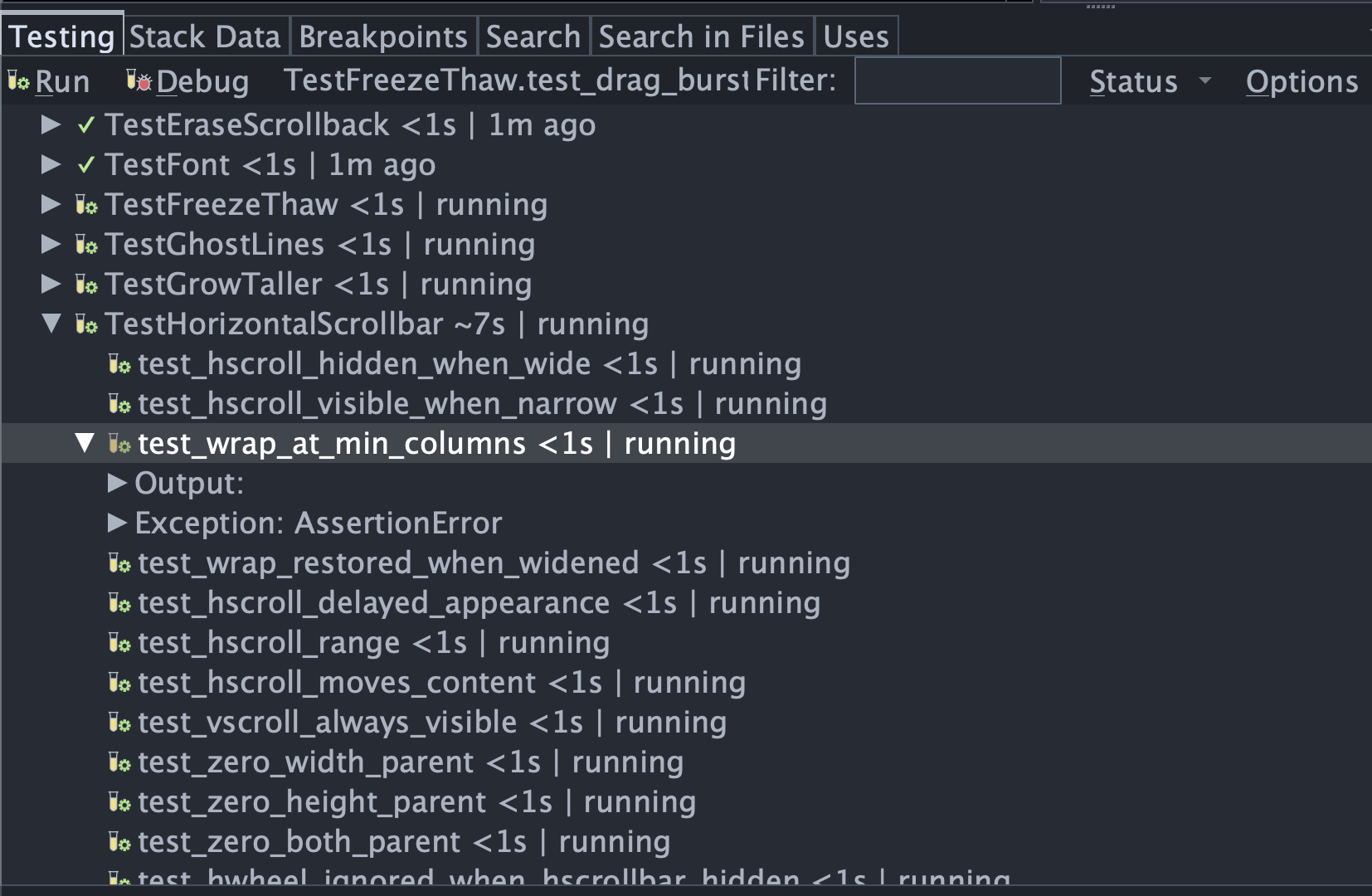
Shown above: Watching the Testing tool update in real time while the agent runs the test suite as part of an in-progress task.
Code Coverage
When Claude Code uses Wing's unit testing MCP, it always runs tests with code coverage enabled. This allows it to run just stale tests after making code changes, a feature that can save huge amounts of time and token usage.
A few things to understand about code coverage:
- Code coverage does not mean that code is correct; that depends on whether the unit tests are correct and passing.
- Code coverage is not infallible, but it's a great heuristic for reducing development time and token use.
You should still run all your unit tests before releasing your code to production. There is no absolute guarantee that every necessary test run has taken place, if you are relying entirely on code coverage to decide which tests to run.
Further Reading
Wing's Claude Code integration is deep and powerful, but should be usable also if you don't fully understand it. When in doubt, ask Claude Code!
See also Wing's Claude Code Agent Integration and AI Agent-Assisted Development in Wing's documentation.
That's it for now! The next Wing Tip wraps up this series with best practices for getting reliable results.
As always, please don't hesitate to email support@wingware.com if you run into problems or have any questions.