 Wingware
Tutorial: Tests as Agent Feedback

Tests give the agent feedback on whether a change is correct, allowing it to run more autonomously and produce better results. Tests also give you concrete evidence to review, in addition to looking at actual code changes.
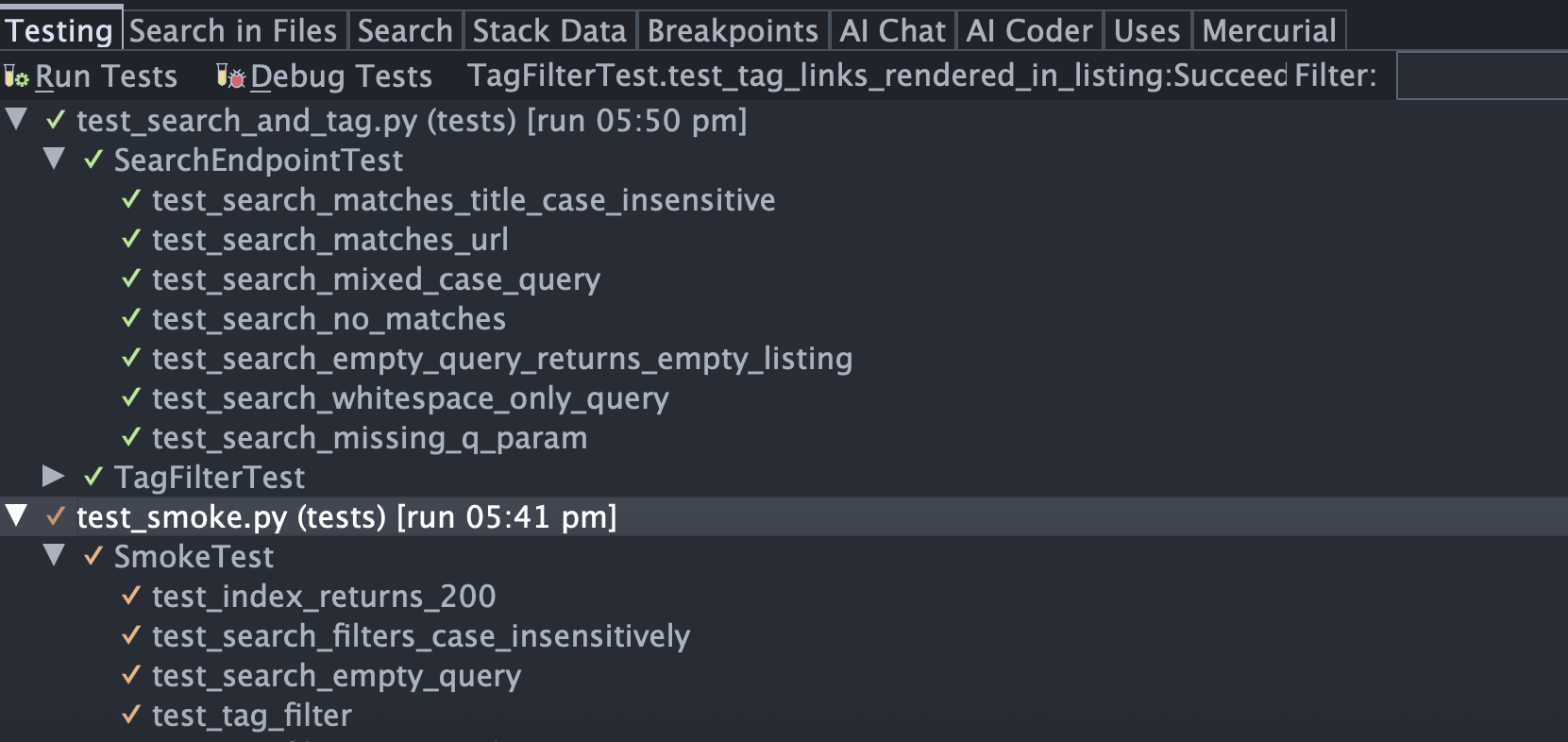
When working with Wing, Claude Code runs tests in such a way that you can see results in the Testing tool. Select that now from the Tools menu. Then submit the following task to Claude Code, either by pasting into the Claude Code panel after typing /clear or as a new task in the Tasks tool:
Write unittest tests for the /search endpoint and the ?tag= filter on /. Use Flask's test client and a fresh SQLite database per test (a fixture that seeds a few bookmarks with known tags). Run the tests when you're done and report the results.
The agent will write the tests under tests/, run them, fix any problems, and report back. You'll see the test results populate the Testing tool while the agent works.
Testing Regimen
You can configure exactly how Claude Code approaches unit testing, with the Testing Regimen settings under the AI Agent tab of Project Properties. This defines several presets and also allows for custom configuration:
Balanced asks Claude Code to always write unit tests for new code and run those new tests when each task is completed, and additionally to run stale tests scoped to the directories you changed before review and before committing without review.
None tells Claude Code that you don't use unit tests at all.
Minimal is the default. It asks Claude Code to write tests for new code and run those new tests as each task completes, but not to run tests again before review or commit.
Thorough asks Claude Code to write tests for new code, run new and stale tests in changed directories at the end of a task, and re-run all stale tests in the project before review and before commit.
Obsessive asks Claude Code to write tests for new code, run all tests in directories with changed files at the end of a task, and run the full project test suite before review and before commit.
Custom unlocks the individual fields that implement the above presets. You can then control when to write tests, which tests to run at task completion, which tests to run before review, and which tests to run before commit without review all independently.
Changing the regimen only affects new Claude Code sessions; sessions already running keep using the regimen they started with.
For now, let's use the Balanced regimen, which runs stale tests in changed directories before review and commit. Select it on the AI Agent tab of Project Properties if it isn't already set.
Code Coverage
When the agent uses Wing's testing capability, it collects code coverage statistics, so it can implement running stale tests in your testing regimen. Knowing which tests are stale can greatly reduce time spent running tests during development, and also helps to save on tokens used during testing.
After the agent has run the full test suite once with coverage, the next time you ask for a small change, for example "tweak the search to also match against tags", the agent would run only the tests whose results that change invalidates - not the whole suite.
Unless you or the agent re-ran the initially added smoke tests, you should see those in the Testing tool marked as 'stale' by the yellow color of their result icons. If more work was done on code relevant to those tests, they would be re-run by the AI agent. You can also re-run them now from the Run Stale Tests item in the Testing menu. If you have stale tests in the Testing tool, try re-running them now. he remaining tests in the Testing tool should light up green again.
A few things to keep in mind about code coverage:
- Code coverage doesn't mean the code is correct. That requires good tests that actually verify what they should.
- Coverage is a heuristic, not a guarantee, so you should always run the full test suite before pushing or releasing anything to production.
Even with these limitations, code coverage can be well worth using. If you don't want to use it, choose one of the Testing Regimen options (as described above) that do not try to run only stale tests.