 Wingware
Wing Pro 12.1 Autonomous Development Test: Paper Investing App
This demo tests the autonomous Tasks Manager in Wing Pro 12.1 with a prompt a non-programmer might write. It asks for a way to practice investing with real prices and pretend money, and names no data source, no framework, and nothing about testing. From that, the Tasks Manager had the request researched and planned, ran AI agents on the tasks in the plan, up to four at a time, and produced investaround, a working web app for paper investing, in under an hour and 19 tasks.
Claude Code did the coding in each task. Wing Pro supplied everything around it: the research and planning, the breakdown into tasks, running them side by side, passing what one task learned to the others, and a record of every decision for the user to review.
At a Glance
- Wing Pro 12.1, with Claude Code using Claude Opus 5.5
- 54 minutes of wall-clock time on October 27, 2026, two follow-up prompts included. A person wrote the opening prompt, accepted the plan, and wrote the two follow-ups.
- 19 tasks and 17 commits
- Code: github.com/wingware-dev/investaround
- Run record: run-trail/RUN.md
The Request
The run started from one prompt, entered as a task in Wing's Tasks tool:
I'm new to investing and want some software so I can try it out by just picking investments without actually buying them and watching them over time, both in current values day to day and by setting the date range to see how they would have done in the past. I would pick around 5-20 investments, and would be useful to have some way of seeing examples to work from. I'm hoping to do this with real investments and prices from somewhere free where I don't need an account. Anything else that would help a new investor to try and understand common strategies would also be great.
Commit a screenshot of each major visible change under docs/shots/ since we'll be creating a publishable trace of this run later.
Only the last paragraph, which asks for screenshots for this page, was written with a developer in mind.
The Run
The Tasks Manager ran the prompt as a research task. Its agent tried the free price sources it could find and checked each one live. Most needed an account or API key, or blocked scripted access, so it chose Yahoo Finance's public chart and search endpoints, which need neither. It planned a local Flask web app that runs in the browser, with a harness that drives the app in a headless browser to test it and take the screenshots.
The one question the user was asked in the whole run was whether to accept this plan, which took 9 steps. Once accepted, the Manager filed the steps as tasks and ran them, up to four at a time, when their files didn't overlap. When a task finished with something the others needed to know, such as which price field already accounts for stock splits, the Manager passed it on to the tasks that needed it. It also filed and ran follow-ups that the workers proposed, such as adding more example portfolios, and letting cash waiting to be invested earn interest.
Over the run, the agents made 75 judgement calls, each recorded for review. Workers asked no questions.
The first plan step built the app's skeleton, and the rest added features in their own files. The home page lists the user's portfolios with today's change, and a path for a new investor to follow:
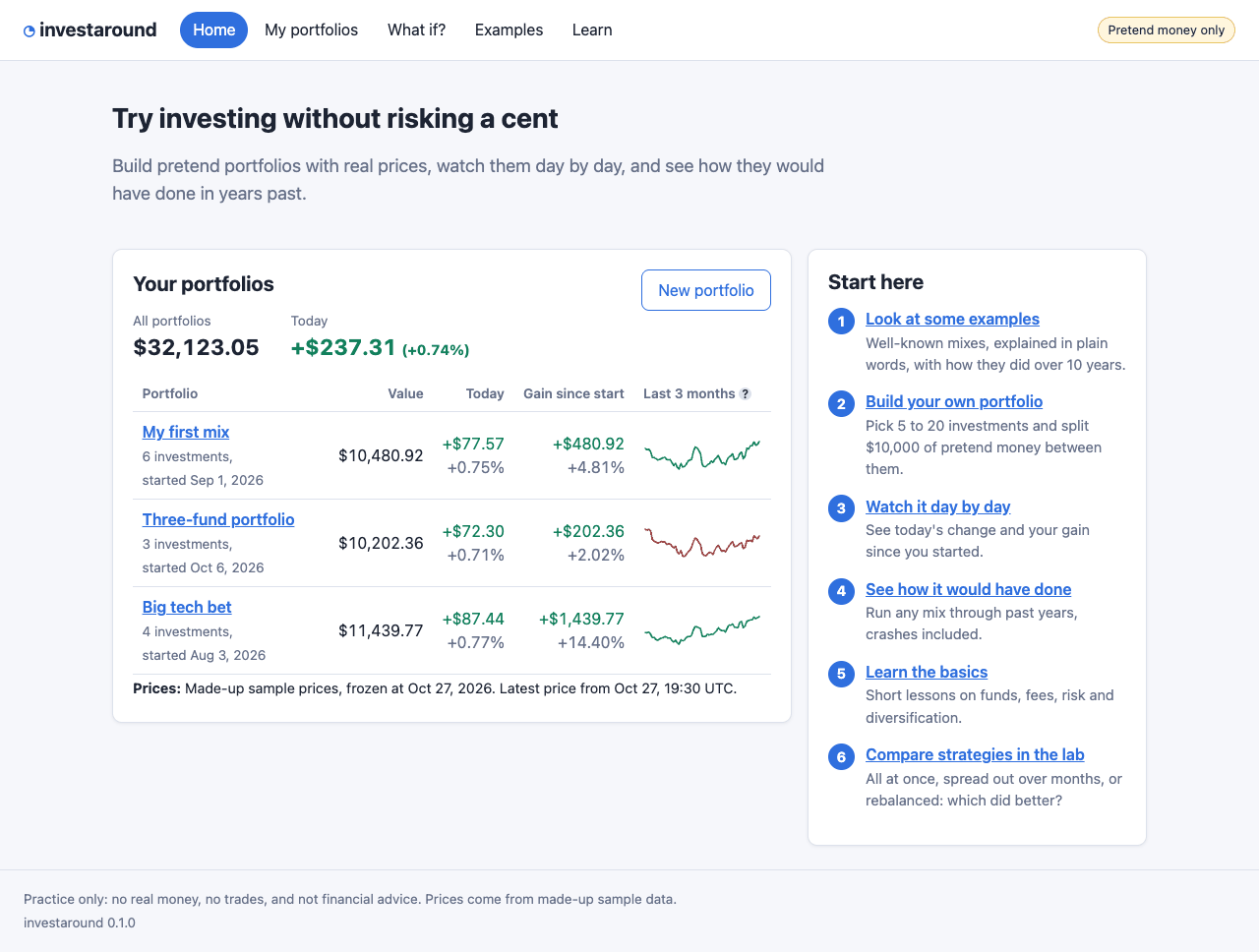
Shown above: The home page, with three pretend portfolios.
Running it from Wing
When the run was done, two more prompts were needed to start the app from Wing. The first asked:
How do I run this? Can you set the main entry point in Wing?
The Manager answered that the entry point was already set to the package's __main__.py, but warned that running it as a plain file might fail. It did:
Running in Wing doesn't work: [...] ImportError: attempted relative import with no known parent package
The task that followed added a small launcher script at the top of the project, made it Wing's main entry point, and checked that both it and python -m investaround start the server.
The Result
investaround lets a new investor build portfolios of 5 to 20 stocks, funds or ETFs with $10,000 of pretend money and watch them day by day. The What if? page runs any mix through past years, crashes included, against the S&P 500:
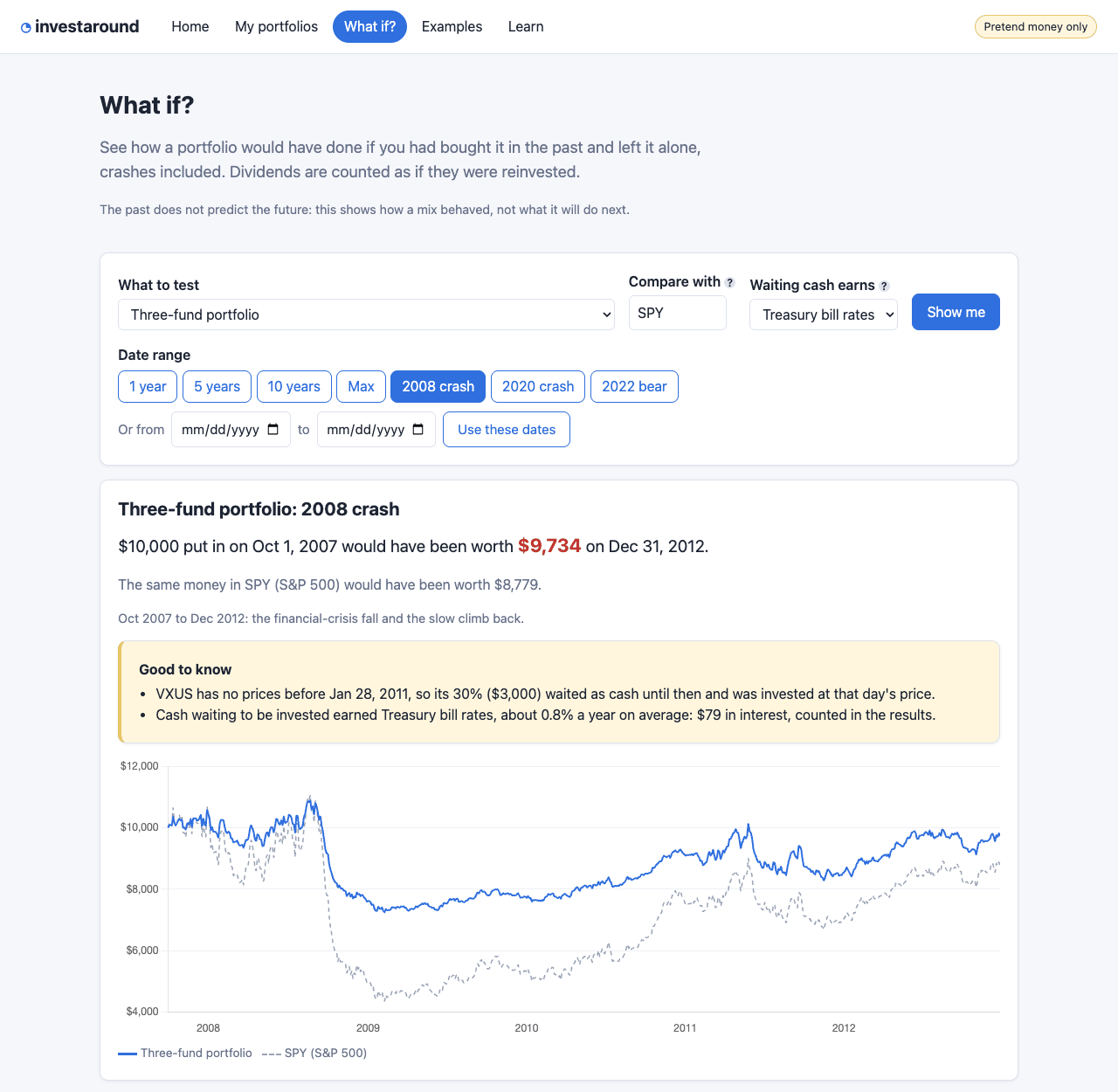
Shown above: A three-fund portfolio through the 2008 crash.
Eight example portfolios, from the S&P 500 alone to all-weather and blue-chip mixes, are explained in plain words with their risks, and any of them can be copied to try:
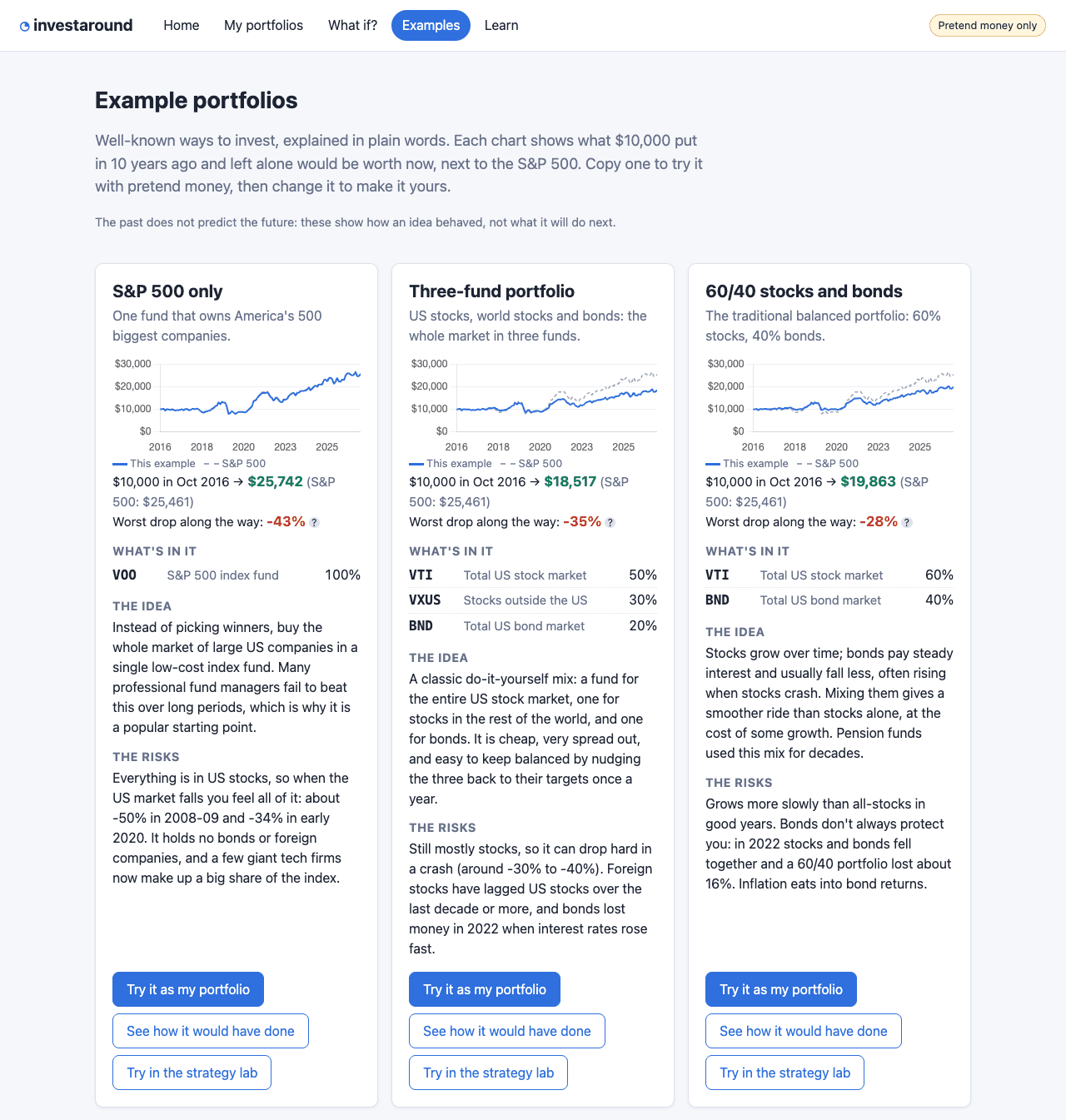
Shown above: Part of the Examples page.
The Learn page has short lessons, a glossary, and a strategy lab that compares investing all at once, spreading it out month by month, and rebalancing:
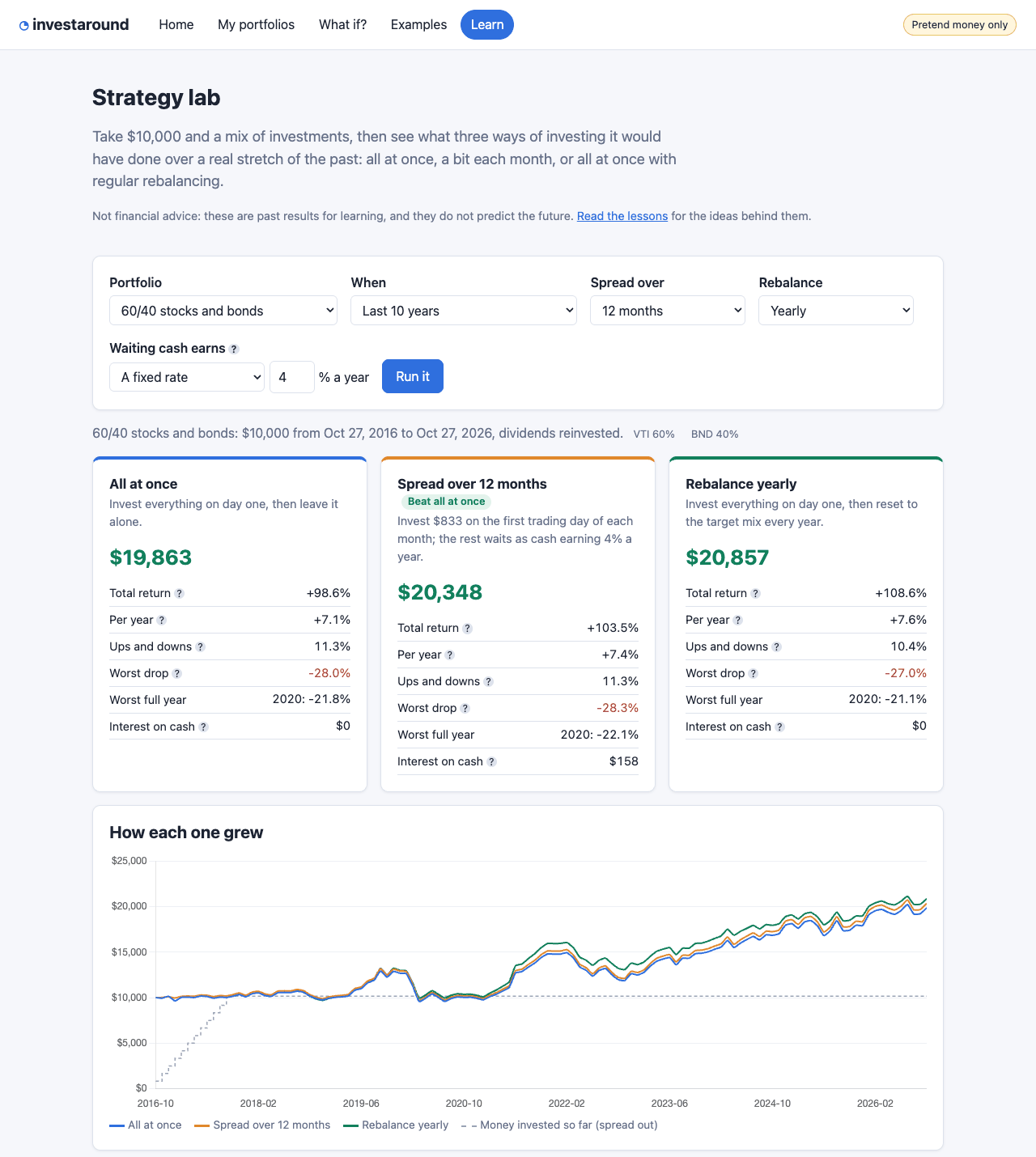
Shown above: The strategy lab, run on a 60/40 portfolio over ten years.
Notes
The app uses live prices from Yahoo Finance when it runs. In the published repository, the market prices the agents recorded for the tests were replaced with made-up sample data, which is also what the screenshots on this page show. Yahoo's endpoints are unofficial, and can change or be blocked at any time. The app caches prices and says when they are unavailable, and its README explains the limits. Four proposed follow-ups were left unrun.
As with any new project, there was no existing code to fit into, and the harness built early in the run let agents see their own work in the browser. Both made it easier than adding features to a large existing codebase.
Wing gives agents its IDE's features as tools on its MCP servers, and the run record counts how the agents used them. The Tasks Manager made 91% of its tool calls to Wing's tools. Workers ran 26 of their 36 test runs with Wing's test tools, and every commit went through Wing. In one task, a worker used Wing to edit Python code by function or class, finding and replacing each one in a single step. In this run they also found code with grep, find and their own search tools, 51 times, and looked at changes with git in the shell. None used the debugger. Use of Wing's MCP tools in the run record has the full counts.
The run record gives, for each task, the prompt, the judgement calls and the alternatives considered, the commits and screenshots, and the time each took. It also lists the Manager's decisions and the places where it redirected a worker. run-trail/trail.json has the same data.
Try it Yourself
To repeat a run like this one, you need Wing Pro 12.1 or later and an AI agent such as Claude Code, with an account that covers sustained use. Getting Started with Autonomous Development walks through the setup, and AI Agent-Assisted Development in Wing's documentation covers the Tasks Manager in full.
To run investaround itself, follow the install steps in its README.